The Brain for Plant Engineering.

Tai reads your engineering documents — P&IDs, specs, datasheets, isometrics — and turns discrepancies into a report your team can act on. Fewer surprises in the field, more confidence at every gate review.

ORION-Refinery Expansion Unit 300 Piping
Live
DesignLeadManager

Unit 300 is on track — 11 items need your attention.

412 isometrics 8 connectors Next milestone: IFC Rev C in 6 days

Data Maturity
P&IDs
92%
▲ 2.1 pp
128 of 139 sheets linked
Isometrics
84%
▲ 1.4 pp
346 of 412 isometrics
MTO
71%
▲ 0.6 pp
2,940 of 4,141 lines priced
3D Model
79%
▲ 3.2 pp
7,812 of 9,890 components
Cost Control
€48.2M
Approved budget
€49.1M
Forecast at completion
+1.9% over budget
Piping
Equipment
Civil & Structural
E&I
Good evening, Tony. I've analysed your area. 11 high-priority items — ISO-P-300-142 is comparable to a rework case from the ORION pilot.
Show me the root-cause chain for ISO-P-300-142.
HIGHPredictive Engineering
Valve X150A38
Face-to-face dimension changed by 12 mm (supplier notice)
Ask Tai — e.g. "What's delaying Rev C?"
THE RESULTS

What Tai delivers

faster than a manual review
50×
critical deviations caught per project, each a €10k+ rework if missed
~15
estimated savings per project in avoided rework
€200k+
Analyse. Compare. Deliver.

What Tai does with your engineering data.

For engineers and designers

P&ID Intelligence

Compare every P&ID against the 3D model.

Upload a P&ID. Tai extracts every symbol, line and tag, compares each one against your 3D model, and reports what matches, what is missing and what disagrees — before the design review, not after.

  • Automatic symbol and tag extraction
  • Reconciliation against the 3D model
  • Coverage metric and evidence for every finding
P&ID Snippet — PID-2471-007
N1N2N1N2PI301TI305LI102D-201P-101AXV-201E-3014"-HC-301-A1A-CS
Importing PID-2471-007.pdf…
Elements
0
Confirmed
0
Confirmed %
0.0%
Sample results · 5 of 142 elements
TagTypeStatus
P-101APumpMatched
XV-201ValveMatched
E-301Heat Exch.Discrepancy
D-201VesselMissing in 3D
PI-301InstrumentMatched
For engineers and project leads

Document Intelligence

Upload any document. Get answers, not reading.

Specifications, datasheets, supplier offers — upload them and ask. Tai reads every page, checks your documents against each other and against your engineering data, and flags what disagrees. Then it builds the report.

  • Cross-check documents against P&IDs, the 3D model and isometrics
  • Standards compliance — are your cited editions still current?
  • Excel workbook and PDF report generated automatically
PDF
Project-Spec-W201.pdf
PDF
Supplier-Offer-W201.pdf
PDF
EN-13480-3.pdf
XLSX
Datasheet-P101A.xlsx
PDF
DIN-EN-1998-1.pdf
DOCX
Material-Requisition.docx

Reading 6 documents…

47 standard designations extracted

Which standards cited in the project spec have been withdrawn?
StandardStatusSuccessor
DIN 4149:2005WithdrawnDIN EN 1998-1/NA:2021
EN 13480-3:2002SupersededEN 13480-3:2023
AD 2000 W2:2007Current
DIN EN 10028-2:2017Current

2 of 4 standards require attention. Tai can generate the Normenverzeichnis as an Excel workbook.

XLSX
Standards-Currency-Report.xlsx
4 standards · 2 sheets
For piping engineers

Isometric Intelligence

Read every isometric. Extract the material list.

Upload piping isometrics. Tai reads each drawing, extracts cut lengths, fittings, flanges and valves, and consolidates them into one material take-off.

  • Automatic extraction of components and cut lengths
  • Consolidated MTO across hundreds of isometrics
  • Excel workbook ready for procurement
Isometric Drawing100-B-1
NCONT. ONDRG 2V101FE-222V102CONT. ON100-B-1B[1]100NSEL +104937EL +1015654"-P-100-B1-CS23905180105038562802WELD SYMBOLSSHOP WELDFIELD WELDPIPING SPEC: A3BISS: -1PIPE NS (MM) 100CL 19.6M
Material Take-Off — 100-B-1
Extracting material list…
QtyDescriptionMaterialCut Length
1PipeA106-B2400 mm
1PipeA106-B1800 mm
2Elbow 90° LRA234-WPB
1Gate ValveA216-WCB
1Reducer 6"×4"A234-WPB
2WN FlangeA105
6 line items · 4.2 m total cut length · 8 welds
For everyone on the project

Engineering Agent

Ask a question. Or tell it what to build.

Tai works with your 3D model, documents, P&IDs, isometrics and spreadsheets — in plain language. Ask it to find information, check consistency, create a piping specification, or produce an Excel workbook. It reasons across every source and delivers the result with evidence.

  • Dozens of tools — query, check, create and report across every data source
  • Create specs, pipe runs, workbooks and PDF reports from a conversation
  • Every answer cites the source it read
List all gate valves in area 100 with a design pressure above 25 bar.
Querying E3D model…
Found 4 gate valves in area 100 above 25 bar.
TagSizeDesign pressureSpec
GV-1016"40.0 barCS150
GV-1034"32.5 barCS150
GV-1078"28.0 barCS300
GV-1123"40.0 barSS150

Source: E3D project PRJ-2471 · 4 matches from 23 gate valves checked.

Human in the loop. Every change is proposed, approved, logged and reversible.

Tai works with the systems you already have.

Tai reads your existing project data instead of asking you to move it. No migration, no new master model.

Available today
AVEVA E3D3D plant model — pipes, equipment, instruments
NavisworksFederated 3D review models
P&IDsPiping and instrumentation diagrams
IsometricsPiping isometric drawings
Engineering DocumentsSpecifications, datasheets, supplier offers
Engineering Standards123,000 standards — ISO, ASME, DIN
Working on another platform? Talk to us.

What teams actually run it for.

P&ID vs. 3D model reconciliation

Situation

A senior engineer spends 7 to 9 hours per P&ID comparing line by line against the model, and can only sample a fraction of the project.

With Tai

Every P&ID is compared automatically. Tai extracts every symbol and tag, matches them against the 3D model, and reports what is confirmed, missing or inconsistent — with evidence.

Result

Full coverage instead of samples. Hours become minutes.

Standards compliance check

Situation

A project specification cites 26 standards. Checking each one for currency — withdrawn, superseded, replaced — is a day of manual research.

With Tai

Tai checks every cited standard against 123,000 standards and 215,000 editions in under two minutes. Withdrawn standards show the successor chain. The result is an Excel Normenverzeichnis ready for the project file.

Result

Two minutes instead of a day. Every standard accounted for.

Supplier offer review

Situation

A supplier submits an offer for a heat exchanger. Deviations from the project specification are buried in the detail — a different material grade, an incorrect test pressure method, a superseded standard.

With Tai

Tai compares the supplier offer against the project specification line by line. It flags every deviation — P235GH where the spec requires P265GH, a test pressure ratio that does not meet PED requirements.

Result

Deviations caught before the order goes out.

Material take-off from isometrics

Situation

An engineer needs a complete material list from hundreds of piping isometrics. Each one is read by hand — cut lengths, fittings, flanges, valves — then consolidated into a single MTO.

With Tai

Tai reads each isometric, extracts every component and cut length, and consolidates them into a single overall MTO — an Excel workbook ready for procurement.

Result

Hundreds of isometrics into one workbook. No manual counting.

Engineering lists from P&IDs

Situation

A project has 45 P&IDs. The team needs a valve list, a line list and an instrument list — each extracted from the drawings into a structured format.

With Tai

Tai reads all 45 P&IDs and generates the valve list, line list and instrument list as Excel workbooks — with tags, sizes, specs and the source drawing for every entry.

Result

P&IDs become structured data. Three lists from one upload.

Engineering knowledge, not marketing material.

Three documents. Leave your business email and download.

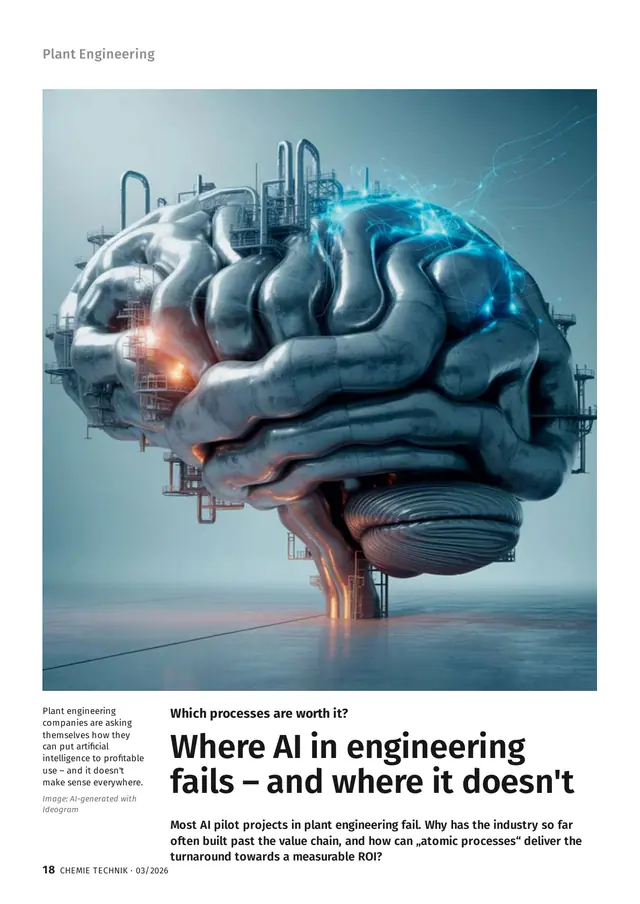
Chemie Technik 03/2026, page 18: headline "Where AI in engineering fails – and where it doesn't" beneath an illustration of a brain built from plant piping
Press & Interview

Where AI in engineering fails — and where it does not

Feature article in Chemie Technik 03/2026. Why most AI pilots in plant engineering miss the value chain, the three barriers behind it, and how narrowly defined atomic processes deliver a measurable return.

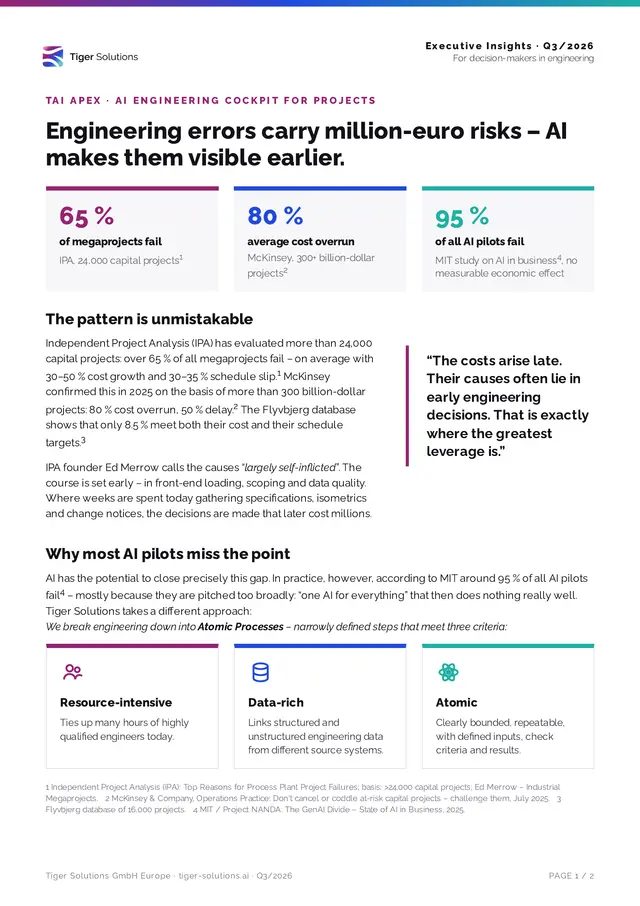
First page of Executive Insights Q3/2026 with the headline "Engineering-Fehler bergen Millionenrisiken" and three statistics on project failure rates
Executive Insights

Engineering errors carry million-euro risks — AI makes them visible earlier

Two-page brief for decision makers, Q3/2026. Failure rates of capital projects from IPA and McKinsey, why most AI pilots go past the problem, and what an atomic-process approach with Tai changes.

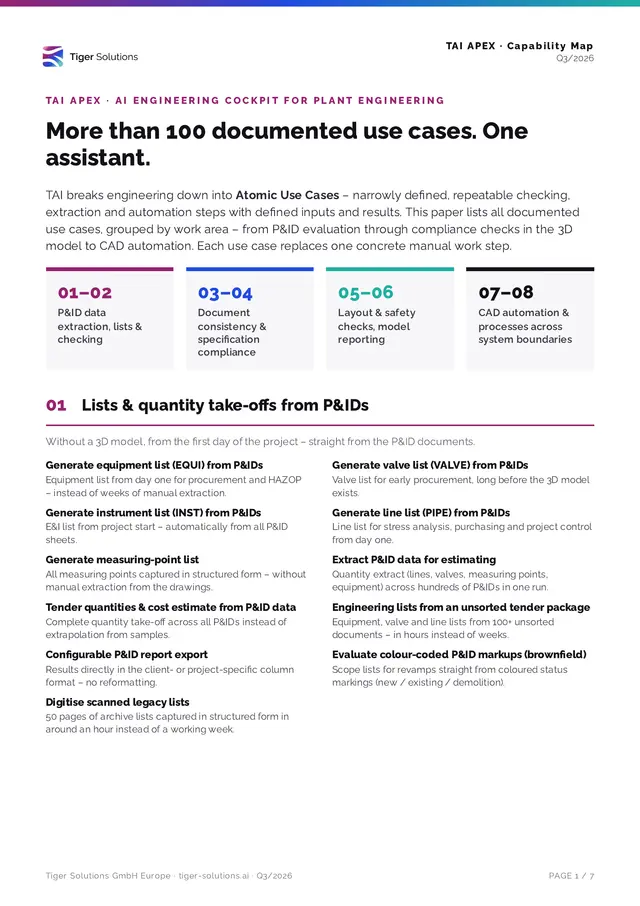
First page of the Tai Apex Capability Map Q3/2026 with the headline "Mehr als 100 dokumentierte Anwendungsfälle" and four numbered work-area tiles
Capability Map

More than 100 documented use cases. One assistant.

Tai capability map, Q3/2026. Every documented use case grouped into eight work areas — from P&ID data extraction and document consistency to layout checks, model reporting and CAD automation.

Read the blog →

Download

Get the PDF

Tell us who you are and the document opens straight away.

We use your details to provide the document and to record who received it. Privacy policy

Book a technical demo

See Tai working on real engineering documents — not a slide deck. We walk through the product, show where it fits your review workflow, and talk about a pilot on your own project data.

  • 01We show Tai reading real P&IDs, specs and isometrics — live, not recorded
  • 02You ask questions about your workflow and we answer honestly
  • 03If it fits, we scope a pilot on your project data

The questions buyers actually ask.

What exactly is Tai?

Tai is an engineering intelligence platform for industrial plant projects. It reads the documents every project already has — P&IDs, specifications, datasheets, isometrics, supplier offers — and checks them against each other, against the 3D model and against current standards. When something disagrees, Tai tells you what and where.

Do we need AVEVA E3D or other software to use Tai?

No. Everything Tai does with documents — standards compliance, supplier offer review, isometric take-off, engineering lists from P&IDs — works on PDF and DOCX files regardless of your CAD system. We have connectors for AVEVA E3D and Navisworks today, and if you work on another platform, talk to us.

Where does our project data live?

Your project data stays on your servers and machines. When Tai processes a document, it uses a transient model with zero data retention — nothing is stored beyond the session. All processing runs within the EU, access is per organisation, and every request is logged.

Is our data used to train AI models?

No. Neither Tiger Solutions nor the model providers behind Tai use your drawings, documents or model data to train or improve any AI model.

Is an on-premise deployment possible?

Not today. Tai is delivered as a managed service, with all processing within the EU. If your organisation requires a dedicated deployment, tell us during the first conversation so we can be straightforward about what is possible.

What does IT need to do?

Install the Tai desktop client on the workstations that need it and allow outbound HTTPS to the Tai service. For 3D-model comparison, add the E3D or Navisworks connector; it reads a snapshot of the model and never writes to it unless an engineer asks it to. No changes to your project database.

How do we know a finding is right?

Every finding shows its evidence: the P&ID element, the 3D-model object and attribute, the standard edition, the source page. Tai reports what it checked and what it could not, rather than claiming completeness — so a coverage figure of 83% means exactly that.

Does Tai replace engineers or designers?

No. Tai does the checking, cross-referencing and report writing that takes days by hand, and flags what disagrees; a qualified engineer decides what to do about it. Nothing is changed in the model without an engineer asking for it.

We use a heavily customised tagging standard — does that work?

In most cases, yes. Tai adapts to project-specific tagging and naming conventions rather than enforcing a fixed standard.

How does a pilot work?

A pilot is scoped around one defined use case on a real project and typically runs a few weeks. We agree the scope, the data and the success criteria up front, and we tell you honestly if Tai is not a fit.